Any website,
remade as design.
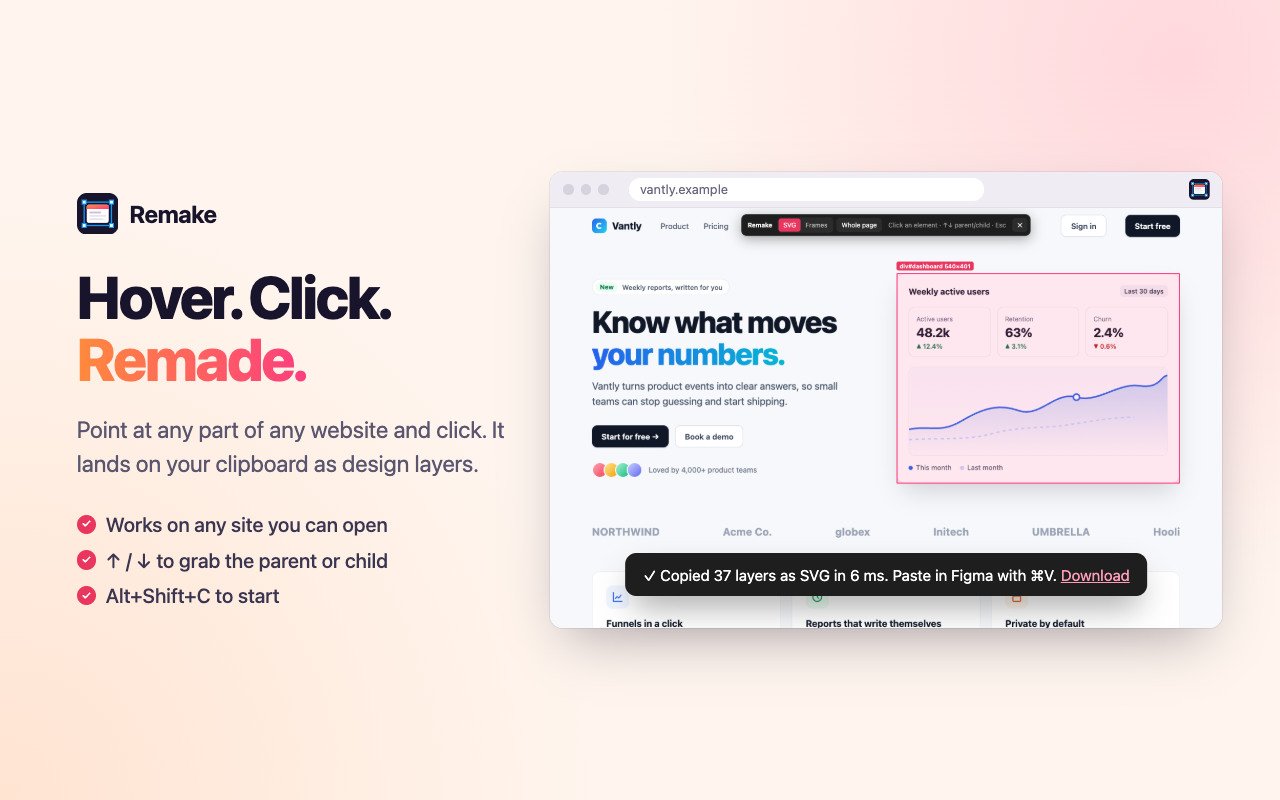
Hover any element on a live page, click, and paste it into Figma as real, editable layers: text, vectors, images, shadows and all. In milliseconds.
Captures what real websites are made of
How it works
Hover. Click. Remade.
No screenshots to trace, no rebuilding by hand. Three steps from any live page to layers you can edit.
Pick an element
Click the Remake icon or press Alt Shift C. Hover anything on the page; ↑ ↓ walk to the parent or child.
Click to copy
Remake reads what the browser actually rendered (boxes, colours, text lines, images) and puts it on your clipboard in milliseconds.
Paste in Figma
Press ⌘ V. You get named, editable layers you can restyle, reuse and build on, not a flat image.
Two ways to paste
Instant vectors, or native frames.
Switch formats from the toolbar on the page. Remake remembers your choice.
SVG
Paste straight onto any Figma canvas. No plugin needed.
- Editable vectors and live text layers
- Works in Figma, FigJam and other design tools that accept SVG
- Perfect for icons, cards and quick references
Frames
Paste with the Remake plugin open for real Figma structure.
- Frames with corner radius, per-side strokes and clipping
- Drop and inner shadows (with spread), gradients, image fills
- Text in the closest font Figma has, with a fallback report
- One-click Remake button saved in your file
Features
Built for real websites.
Modern pages are messy. Remake handles the parts other tools flatten or drop.
Top to bottom, in one click
Scrolls the page so lazy content loads, expands app-style scroll areas, then captures everything, and puts your scroll position back.
Fast enough to feel instant
Most copies take a few milliseconds to a few tens of milliseconds. Hundreds of layers, no spinner.
Text that wraps right
Lines are split exactly where the browser wrapped them.
True stacking
Paint order follows CSS, so z-index and overlaps land correctly.
Any element
A button, a card, a nav bar or a full dashboard. Press ↑ for the parent.
Pseudo-elements
::before and ::after icons, separators and decorations are kept.
Font aware
Uses the site's font when Figma has it, Inter at the same weight when not.
Private
No servers, accounts or analytics. Copies never leave your device.
See it in action
From live page to layers.
Private by design
Nothing leaves your computer.
Remake has no servers to send your data to. It reads a page only when you click its icon, and the copy goes straight to your clipboard.
Read the privacy policy →FAQ
Questions, answered.
Is Remake really free?
Yes. Both the Chrome extension and the Figma plugin are free, with no limits on how many copies you make, and no account.
Do I need the Figma plugin?
No. The default SVG mode pastes straight into Figma with ⌘ V. The plugin is for Frames mode, which gives you native frames, auto-matched fonts, shadows and image fills.
Which websites does it work on?
Almost any page Chrome can show. Chrome doesn't let extensions run on its own pages (like chrome:// pages and the Chrome Web Store) or in the PDF viewer.
Does it work in Figma in the browser?
SVG mode works anywhere you can paste. The Frames plugin runs in both the Figma desktop app and Figma in the browser once it's installed from Figma Community.
Is my data safe?
Remake never sends anything to a server. All processing happens in your browser and in Figma. Details are in the privacy policy.
Is Remake made by Figma?
No. Remake is an independent tool that works with Figma. It is not affiliated with or endorsed by Figma, Inc.
Stop rebuilding. Start remaking.
Turn the web into your design library, one click at a time.